Designspace
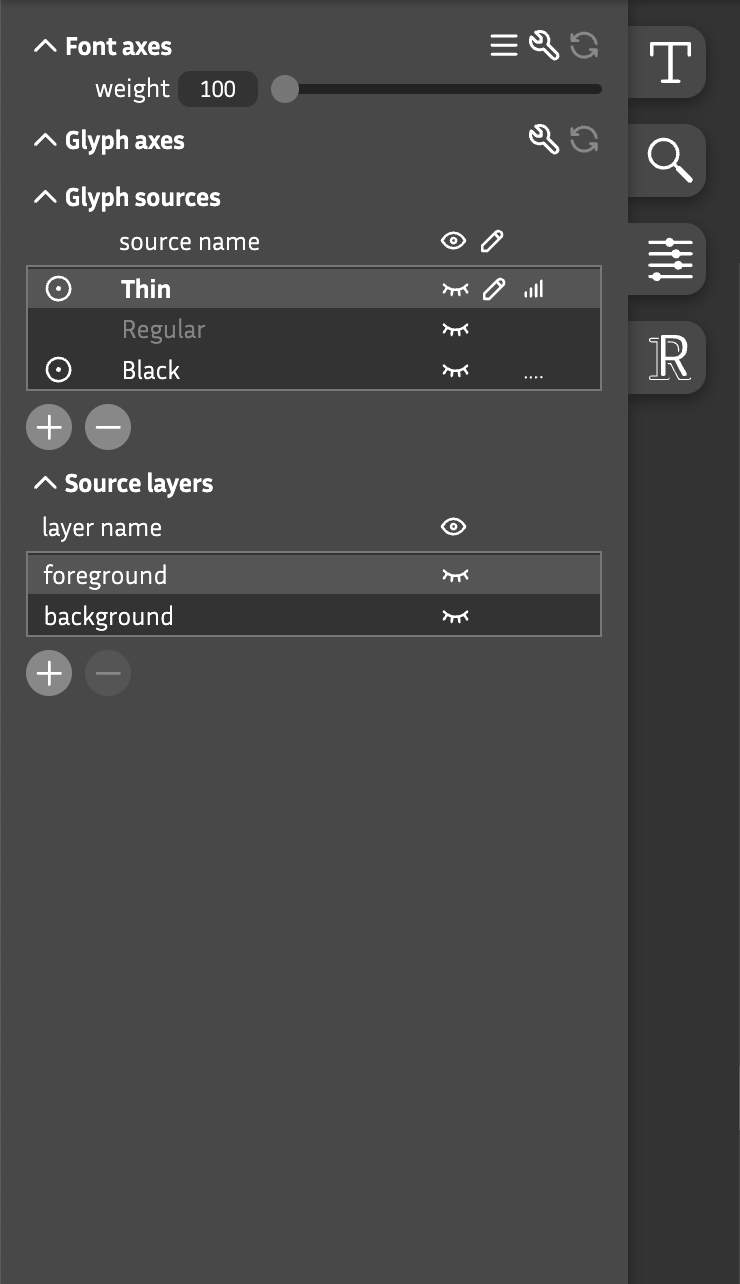
Font axes
Interactive controls for all variation axes in the designspace
sliders : Move the knobs to navigate around the font’s designspace
labels : Slider values indicate the current location at that axis
 View options
: Click to set various different view options like “Apply cross-axis mapping”
View options
: Click to set various different view options like “Apply cross-axis mapping”
 Edit font axes
: Opens the font axes page
Edit font axes
: Opens the font axes page
 Reset font axes
: Click to restore all axes to their default location
Reset font axes
: Click to restore all axes to their default location
Glyph axes
Interactive controls for all glyph level axes
sliders : Move the knobs to navigate around the glyph level designspace
Edit glyph axes
: Open a pop-up window to adjust glyph axes
Reset glyph axes
: Click to restore all axes to their default location
Glyph sources
A list of all sources available for the current glyph
Bold : The glyph source highlighted in bold is the default source
Grey : A glyph source in grey is a virtual source. It does not exist, yet. It’s specifed as a global font source, but the glyph does not have a source specified for that paricicual source. You don’t have to create a gylph source for each font source if the design allows it. But if you want to edit it: double-click the name will create a source at this location.
 on
: Uncheck to remove source from the interpolation for this glyph
on
: Uncheck to remove source from the interpolation for this glyph
 bug
: Indicates that this source is incompatible for interpolation
bug
: Indicates that this source is incompatible for interpolation
 bg (background)
: Show/hide this source in the background while editing
bg (background)
: Show/hide this source in the background while editing
 edit
: Click the pencil icon in the table header for multi-source editing
edit
: Click the pencil icon in the table header for multi-source editing
 bars
: Displays the influence of this source in the current location
bars
: Displays the influence of this source in the current location
 plus
: Add a new source at a new location for the current glyph
plus
: Add a new source at a new location for the current glyph
 minus
: Delete current glyph in the selected source
minus
: Delete current glyph in the selected source
Source layers
All layers of a selected glyph source
foreground : This is the layer which will be taking for the glyph interpolation
background or any other layer name : All other layers can be seen as background layers. They don’t participate into the actual glyph, so they do not have to be compatible and do not break compatibility. These layers are helpful during the design process. Keep an existing outline, make a copy, modify it and compare it -> then decide which outline you want to foreground as the final outline.