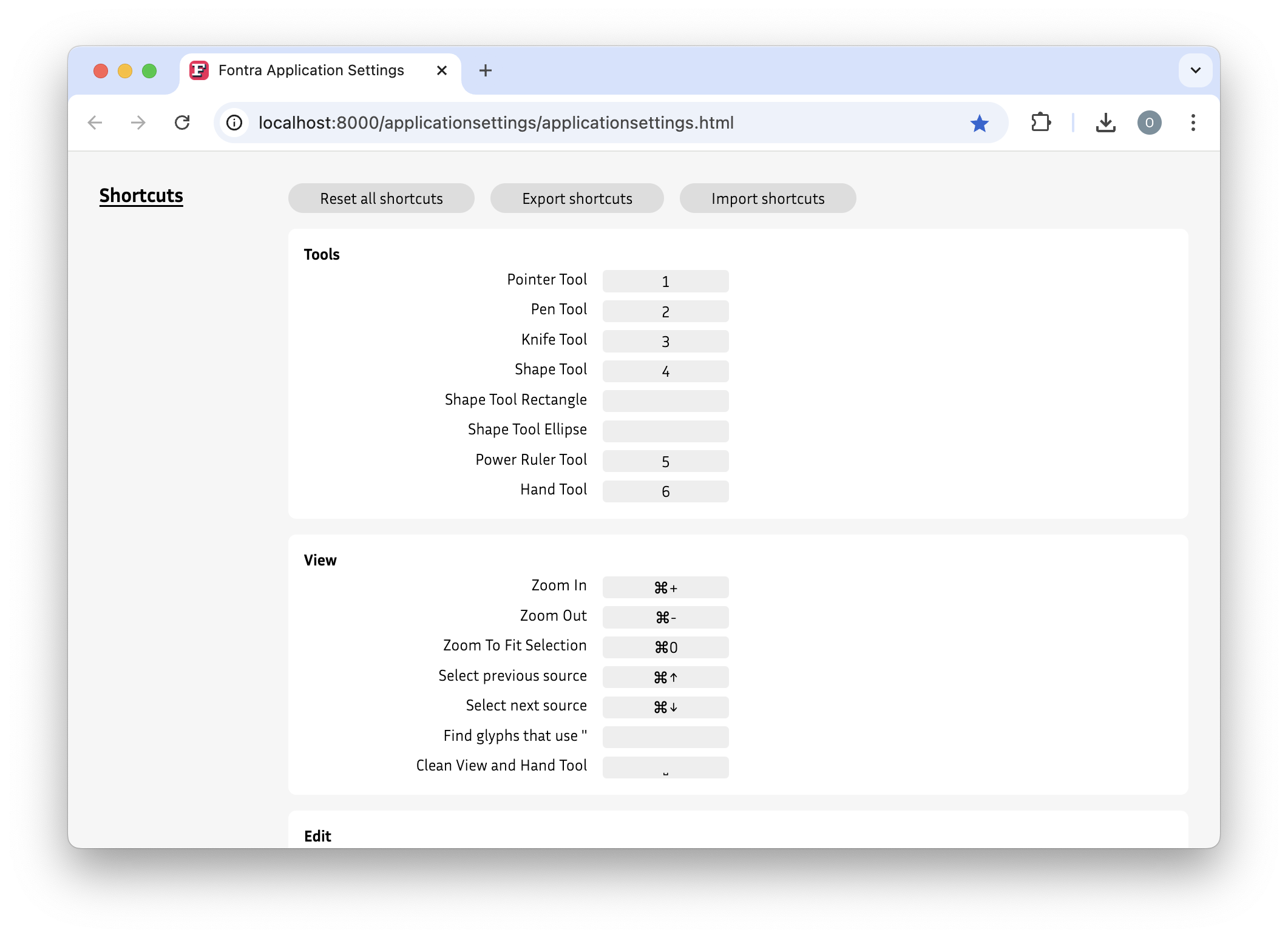
⌘ + Z |
Ctrl + Z |
undo the last action |
⇧ + ⌘ + Z |
⇧ + Ctrl + Z |
redo the last action |
space |
space |
preview with filled contours + without left and right info sections + hand tool |
⌘ + - |
Ctrl + - |
zoom out |
⌘ + + |
Ctrl + + |
zoom in |
⌘ + 0 |
Ctrl + 0 |
zoom fit to selection |
1 |
1 |
switch tool to Pointer tool:  |
2 |
2 |
switch tool to Pen tool:  |
3 |
3 |
switch tool to Knife tool:  |
4 |
4 |
switch tool to Shape tool:  |
5 |
5 |
switch tool to Power ruler tool:  |
6 |
6 |
switch tool to Hand tool:  |
⌘ + a |
Ctrl + a |
select all points + components, second time: include anchors + third time: only anchors |
⇧ + ⌘ + a |
⇧ + Ctrl + a |
select none |
⌘ + c |
Ctrl + c |
copy selection or glyph |
⌘ + v |
Ctrl + v |
past selection |
⌘ + x |
Ctrl + x |
cut off selection |
⌘ + Delete or Backspace |
Ctrl + Delete or Backspace |
delete selection or glyph |
⌘ + f |
Ctrl + f |
toggle glyph search |
⌘ + i |
Ctrl + i |
toggle info section |
⌘ + e |
Ctrl + e |
toggle edit all source layers |
⌘ + ↑ |
Ctrl + ↑ |
select previous source layers |
⌘ + ↓ |
Ctrl + ↓ |
select next source layers |
⇧ + ⌘ + d |
⇧ + Ctrl + d |
decompose components |